
A short tour
This tour shows the main views of the TUI and where the web UI shows the same thing. It assumes you have installed Legato and started it with legato. Press ? in any view to see its keys; the keyboard reference lists them all.
The board
Section titled “The board”The board opens first. Each column is a stage of work, and each card is a task.
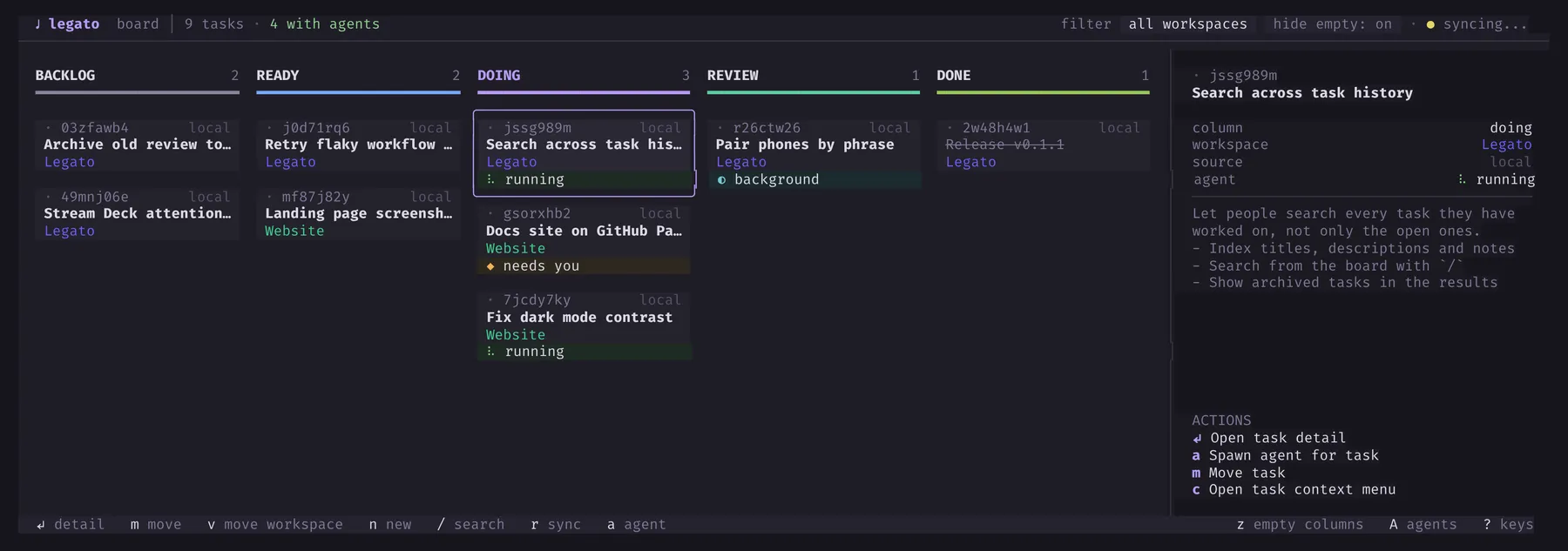
- Move between columns with
handl, and between cards withjandk. - Press
nto make a task,mto move the selected one to another column, and/to search. - Press
wto show one workspace, or all of them.
A card shows where its task comes from (Jira, GitHub or local), its linked pull request, and, at its foot, its agent:
| On the card | Meaning |
|---|---|
| running (green) | The agent is working. |
| needs you (amber) | The agent waits for you to allow something or to answer a question. |
| background (cyan) | The turn ended, but something it started still runs and will wake it. |
| idle | The agent’s session is alive, and nothing will wake it but a message. |
A task
Section titled “A task”Press Enter on a card to open the task. You see its description, its notes and, for a remote ticket, the provider’s fields.
ycopies the description, andYcopies the full context of the task, for an agent outside Legato.eedits the description in your editor.escgoes back to the board.
Agents
Section titled “Agents”On the board, press a to start an agent on the selected task. Choose the tool and the folder, and press Enter.
Press A to open the agents view. Agents that need you come first, then running ones, then the rest. The terminal of the selected agent is beside the list.
Enterattaches to the agent’s terminal.Ctrl+]detaches.wselects the next agent that needs you.msends a macro, a saved message, to the agent.echanges to the ensemble, which shows every agent at once.aasks the Reeve about the selected agent.Ropens the Reeve from anywhere.qgoes back to the board.
Attention, plans and reviews
Section titled “Attention, plans and reviews”These views collect what agents give you to decide:
Iopens Attention: everything that needs you, in one list.Enterdoes the item’s main action.Popens plans that agents submitted. Read one, answer its questions, and approve it, or ask for changes.Vopens review tours of changes that agents made.!answers pending approvals from any view.
See Attention and approvals, Plans and Reviews.
The web UI
Section titled “The web UI”With web.enabled: true, the web UI runs beside the TUI at http://localhost:3080. It has the same board, agents, Attention, plans and reviews, and some things the TUI does not have:
- The conversation of a Claude Code or Codex agent, with its tool calls, in a native panel.
- The cards, artifacts and videos that agents show with Legato’s tools.
- Workflows, reports, Legato Learn, the credential audit log and settings.
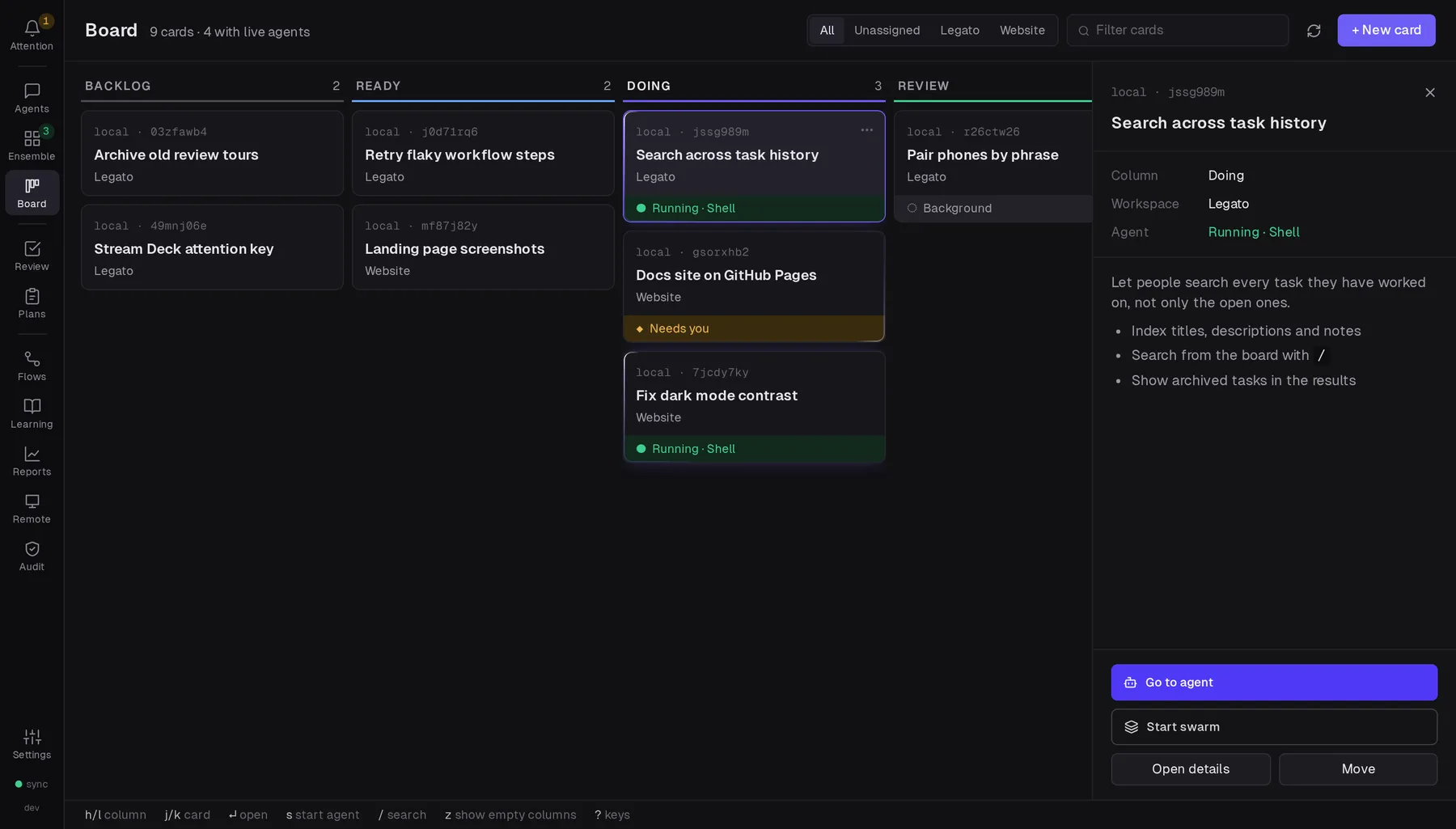
See The web UI, and Your phone and other devices to use it away from your desk.